Quickest Way to Create Expense Reports
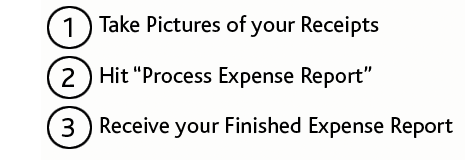
Improve your productivity, stop carrying receipts in your wallet, and turn in your expense reports on time. Simply take pictures of your receipts, and ABUKAI "auto-magically" turns them into an expense report. You will receive your finished expense report with cost categorization, date, vendor and all other info already filled in for you!
Increase Productivity
Every hour spent on expense reports diverts staff from valuable work. Copying receipts, typing data, and tracking down lost receipts take time that ABUKAI Expenses gives back to your team.
Immediate Return on Investment
Spend less time preparing and processing expense reports. ABUKAI Expenses can deliver a rapid return on investment. Calculate your own ROI now.
Posting Data into Existing Systems
ABUKAI can direct post your expenses into your company's existing expense, accounting or ERP system - without you having to do any of the work! ABUKAI can post data into any existing system and offers various API-based interfaces. Just let us know which system you use and we will get back to you with a proposal.
Managing Projects, Jobs, Clients, etc.
The multi-activity feature allows users to track multiple expense reports simultaneously and assign them different customers, projects, cost centers, trips, or other activities.
Each tab represents a separate expense report, marked through the activity name and an optional ID.
Each tab represents a separate expense report, marked through the activity name and an optional ID.
Mileage
Users can easily record mileage by taking pictures of a map, an itinerary, a car's odometer, or a handwritten note.
Alternatively, users can add an expense without a receipt and simply enter the details in the notes for processing. ABUKAI will automatically record the current location.
Alternatively, users can add an expense without a receipt and simply enter the details in the notes for processing. ABUKAI will automatically record the current location.
Email and PDF Receipts
Import PDF receipts directly from your phone, add photos or screenshots from your gallery, or upload files through the ABUKAI User Portal. With a Corporate Account, you can also email receipts for processing.
Corporate Account Portal
The Corporate Account Portal allows a company representative to assign seats, add additional employees details (e.g. employee ID, name, cost center, etc.) for display on expense reports, and review additional account details and statistics. Corporate Account Portal access is included with Standard and Custom Corporate Accounts.
Corporate - Approval Flow Option
With the optional Approval Flow Module for Corporate Accounts, ABUKAI will route each expense report based on your particular approval rules. ABUKAI's advanced rule scripting engine enables any kind of approvals from basic manager-type approval to the most complex, multi-divisional or project-based rules.
Corporate - Receipt Review Option
The Corporate Receipt Review Module for Corporate Accounts allows finance or other central teams to easily filter approved expenses by date range, specific employees, entity, cost center, etc. Admins can also run reports, export data for analysis, or retrieve receipt images e.g. in case of an audit.
Corporate - Automated Card Matching Option
The Automated Card Matching Option automatically reconciles all corporate credit card transactions against the submitted receipts within the corporate receipt review module. ABUKAI informs admins of potential deviations that can be flagged with card companies as well as potentially missing receipts for select card transactions.